

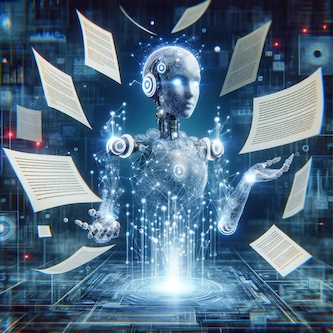
The company showed how the program works by having two computer lawyers talk to each other. They changed a special paper called a non-disclosure agreement very quickly. Luminance's program helps make talking about contracts faster and stops people from slowing things down. But some real lawyers think that people still need to check the work because computers don't understand everything about what different clients need.
Even though the new program can do a lot, people agree that real lawyers are still very important. The head of a big lawyer group in England said that computers can't do everything that lawyers do. Lawyers know special things that computers don't. As computers get better, lawyers might have to learn new things, but they will always need to make sure everything is done right.
Original news source: Can AI cut humans out of contract negotiations? (BBC)
📖 Vocabulary:
Group or Classroom Activities
Warm-up Activities:
– News Reporter Role-play
Instructions: Divide the students into pairs. One student is the news reporter and the other is a representative from Luminance. The reporter interviews the representative about the new computer program, asking questions about how it works, its benefits, and the concerns of real lawyers. Encourage the use of vocabulary related to technology, law, and work automation. After the role-play, have the pairs switch roles.
– Vocabulary Pictionary
Instructions: Write down key vocabulary words from the article on slips of paper (e.g., program, contracts, non-disclosure agreement, technology, lawyers). Divide the class into two teams. Players take turns drawing a word for their team to guess without speaking or writing letters or numbers. Set a time limit for each turn. This activity will help students remember and learn new words from the context of the article.
– Opinion Spectrum
Instructions: On one side of the classroom, put a sign that says 'Agree' and on the other side, a sign that says 'Disagree.' Read out statements related to the article, such as "Computers will eventually replace lawyers" or "It's important for humans to check the work of computer programs." Students move to the side of the room that represents their opinion. Then, select a few students to explain their position, encouraging the use of language expressing agreement, disagreement, and reasoning.
– Future Predictions
Instructions: Ask students to imagine the future of the legal profession with the integration of technology like Luminance's program. Students can work in small groups to discuss and write down their predictions about how lawyers' jobs will change, what new skills they might need, and the potential risks and benefits of such technology. Each group can then present their predictions to the class, followed by a group discussion.
– Sketch It
Instructions: Provide students with paper and pens. Read a simplified summary of the article aloud, breaking it down into key points (e.g., Luminance creating a program, smart technology reviewing contracts, lawyers' concerns). After each point, pause and have students quickly sketch an image representing that idea. This helps with comprehension and memory retention. After the summary, students can share their drawings with the class and explain the connection to the article's content.
🤔 Comprehension Questions:
Luminance made a new computer program to help lawyers work faster.
The new computer program can check and change contracts by itself.
Some people will be able to try the new program soon, and more people next year.
They showed that the program can change a non-disclosure agreement very quickly.
Some real lawyers think they need to check the work because computers might not understand everything about what different clients need.
The head of the big lawyer group says that computers can't do everything that lawyers do because lawyers know special things that computers don't.
Real lawyers are very important because they make sure everything is done right and they can do things computers can't.
🎧✍️ Listen and Fill in the Gaps:
A company in the UK called made a new computer program to help lawyers work faster. This program uses smart technology to check and change contracts all by itself. It can do this because it learned from lots of papers. The company will let some people try it soon, and people will get to use it next year. The is to make boring work quicker so lawyers can do more things. The company showed how the program works by having two computer lawyers talk to each other. They changed a special paper a non-disclosure agreement very quickly. Luminance's program helps make talking about contracts faster and people from slowing down. But some real lawyers think that people still to check the work because computers don't understand everything about what different clients need. Even though the new program can do a lot, people agree that real lawyers are still very important. The head of a big lawyer group in said that computers can't do everything that lawyers do. Lawyers know special things that computers don't. As computers get better, lawyers might have to new things, but they will always need to sure everything is done right.
💬 Discussion Questions:
1. What is a computer program?
2. How would you feel if a computer did your homework for you?
3. Do you like using computers to help you with work or school? Why or why not?
4. Do you think computers can make mistakes? Why?
5. What is a lawyer? Can you explain in simple words?
6. Do you think it's good to have computers help lawyers? Why or why not?
7. How do you feel when you have to do boring work?
8. What important jobs do you think lawyers do that computers cannot?
9. Do you think people should always check a computer's work? Why or why not?
10. Have you ever made a promise to keep a secret? Is it like a non-disclosure agreement?
11. What is something special that you know how to do that you think a computer cannot do?
12. Do you think learning new things is fun? Would you like to learn how to work with smart computer programs?
Individual Activities
📖💭 Vocabulary Meanings:
Click a dot next to a word, then click the dot next to its meaning to draw a line connecting them.
Words
Meanings
🔡 Multiple Choice Questions:
🕵️ True or False Questions:
📝 Write a Summary:
Write a summary of this news article in two sentences.
Check your writing now with the best free AI for English writing!