

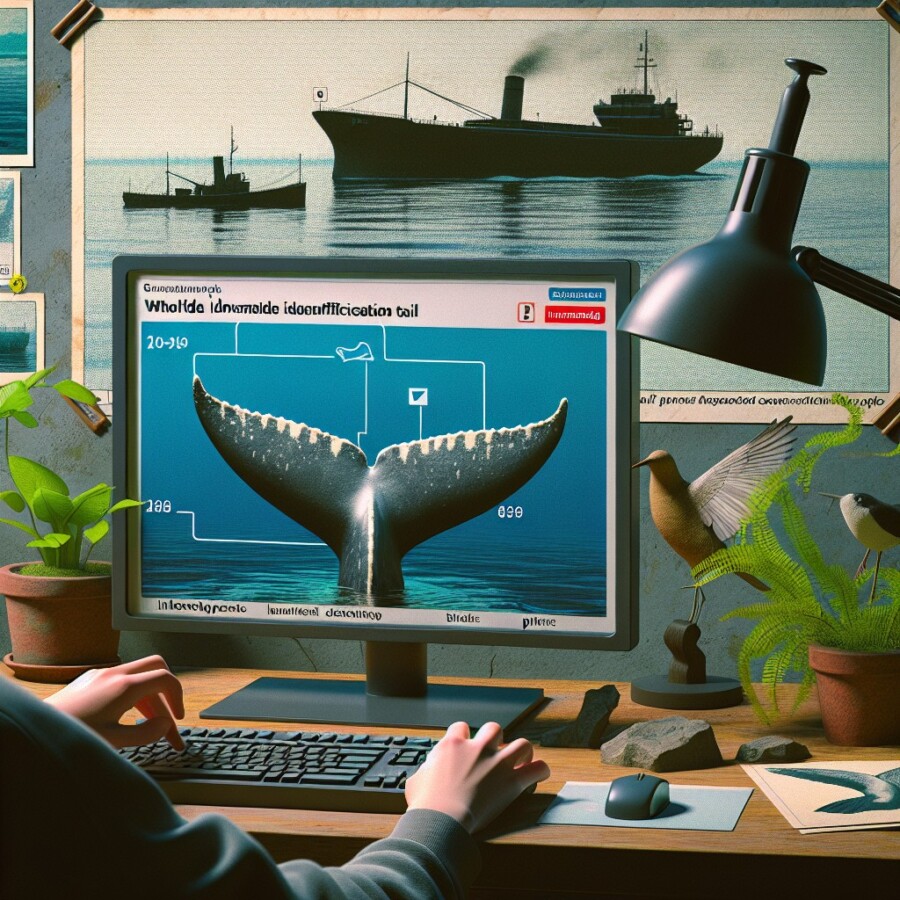
A man named Ted made a computer helper that can tell different whales apart. People can put pictures of whales on a website, and the computer helper looks at the whale's tail to say who it is. It can tell you the whale's name and where it has been before. This helps people know how many whales there are and where they go.
There is also a computer helper for birds called Merlin Bird ID. You can take a picture of a bird or record its song, and the helper will tell you what kind of bird it is. It asks you to tell more about the bird so scientists can learn about where birds live and fly. This helps people who like birds and want to help them. Another helper called iNaturalist can tell what kind of animal or plant is in a picture. It gets smarter as people use it more. A man named Grant who helped make it thinks these helpers can make people care more about animals and plants.
Original news source: Name that whale! How AI aces animal spotting (BBC)
🎧 Listen:
📖 Vocabulary:
Group or Classroom Activities
Warm-up Activities:
– Charades
Instructions: Divide the class into small groups. Give each group a list of animals, including whales and birds. One person from each group will act out the animal without speaking, while the rest of the group tries to guess what animal it is. This activity helps students practice vocabulary and encourages creativity and teamwork.
– News Summary
Instructions: Read the article aloud to the class. Then, ask the students to work in pairs or small groups to summarize the main points of the article. They can take turns sharing their summaries with the rest of the class. This activity helps students practice reading comprehension and summarizing skills.
– Opinion Poll
Instructions: Create a list of questions related to the article, such as "Do you think computer helpers for animals are useful?" or "Would you use a computer helper to identify birds?" Have the students ask these questions to their classmates and record their responses. Afterwards, discuss the different opinions and reasons behind them as a class. This activity helps students practice speaking and expressing their opinions.
– Vocabulary Pictionary
Instructions: Write down vocabulary words from the article, such as "whales," "birds," "computer helper," and "animals." Divide the class into teams and have one person from each team come to the front of the class. Show them a vocabulary word and have them draw it on the board. The rest of their team must guess the word. This activity helps students practice vocabulary recall and encourages creativity.
– Synonym Challenge
Instructions: Write down key words from the article, such as "whales," "birds," "computer helper," and "animals." Have the students work in pairs or small groups to come up with as many synonyms as they can for each word. Afterwards, have them share their lists with the class and discuss the different synonyms. This activity helps students expand their vocabulary and practice word association.
🤔 Comprehension Questions:
Ted made the computer helper.
The computer helper looks at the whale's tail.
The computer helper can tell you the whale's name and where it has been before.
The computer helper for birds is called Merlin Bird ID.
The bird helper knows what kind of bird it is by looking at a picture or listening to its song.
The bird helper asks you to tell more about the bird so scientists can learn about where birds live and fly.
The other helper is called iNaturalist.
🎧✍️ Listen and Fill in the Gaps:
A man named Ted made a computer helper that can tell different whales apart. can put of whales on a website, and the computer helper looks at the whale's tail to say who it is. It can tell you the whale's name and where it has been before. This people know how many whales there are and where they go. There is also a computer helper for birds called Bird ID. You can take a picture of a bird or record its song, and the helper will tell you what kind of bird it is. It asks you to tell about the bird so scientists can learn about where live and fly. This helps people who like birds and want to help them. Another helper called iNaturalist can tell what kind of animal or plant is in a picture. It gets smarter as people use it more. A man Grant who make it thinks these helpers can make people care more about animals and plants.
💬 Discussion Questions:
1. What is a computer helper?
2. How would you feel if you saw a whale in the ocean?
3. Do you like birds? Why or why not?
4. What is the name of the computer helper for birds?
5. How does the computer helper for birds know what kind of bird it is?
6. Do you think it is important to learn about where birds live and fly? Why or why not?
7. What is the name of the computer helper that can identify animals and plants in pictures?
8. How does the computer helper get smarter?
9. Do you think these computer helpers can help people care more about animals and plants? Why or why not?
10. Have you ever used a computer helper before? What did you use it for?
11. How do you think the computer helper for whales works?
12. What other animals or plants do you think the computer helper could help identify?
Individual Activities
📖💭 Vocabulary Meanings:
Click a dot next to a word, then click the dot next to its meaning to draw a line connecting them.
Words
Meanings
🔡 Multiple Choice Questions:
🕵️ True or False Questions:
📝 Write a Summary:
Write a summary of this news article in two sentences.
Check your writing now with the best free AI for English writing!