

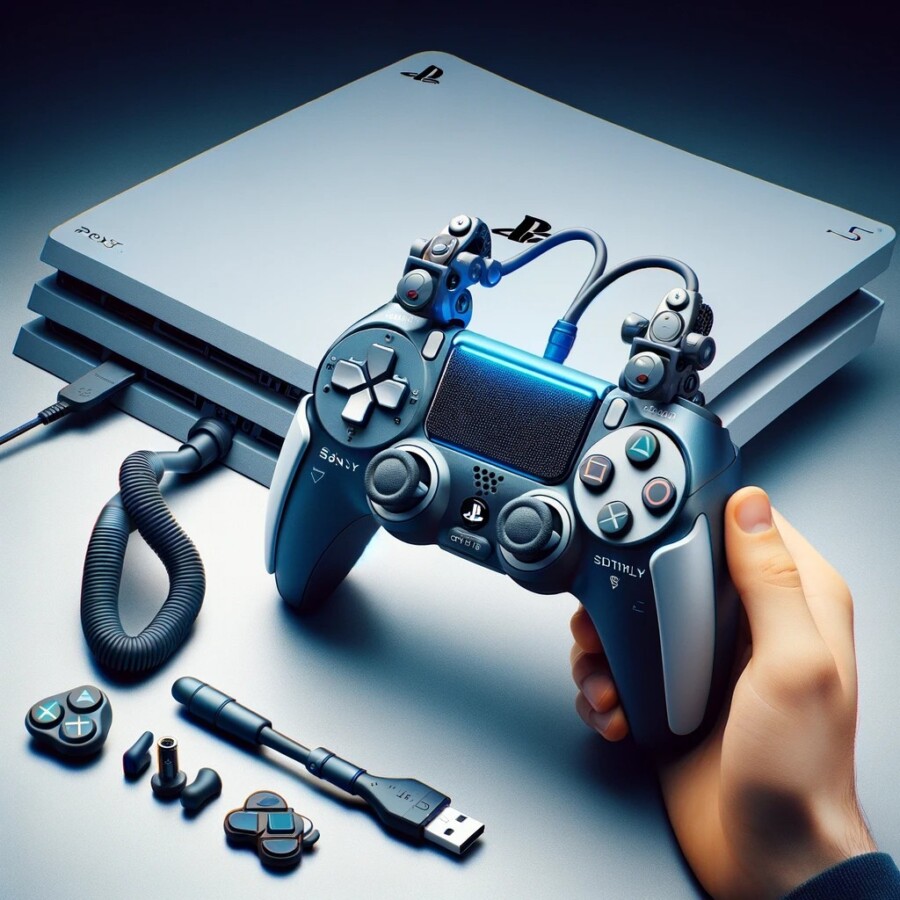
Sony has worked with experts to make a special controller for disabled gamers who play PlayStation 5 (PS5). It's called the Access Controller and it's a kit that can be customized to fit each person's needs. This is the first time Sony has made a device like this for the PS5, while Microsoft has had a similar controller for Xbox and PC since 2018. The goal is to make a kit that has everything disabled gamers need, so they don't have to buy extra things or deal with lots of wires.
Making products that are accessible for disabled gamers is hard because everyone is different and gaming technology is always changing. Sony's solution is to let each person customize the controller to fit their needs. They worked with a group called AbleGamers to figure out how to help with things like moving the thumbsticks, pressing buttons, and holding the controller. The Access Controller is meant to help people with these challenges, no matter what their disability is.
The Access Controller was made with help from disabled people to make sure it's easy to use. Users can change the controller to fit their needs and make different settings for different games or situations. Some things about the design might be confusing, like not having a regular right stick, but overall, this is a good step forward for disabled gamers. It shows that gaming companies care about making games accessible and want to keep getting better.
The gaming industry has been under pressure to make games easier for disabled players. Some recent changes include adding sign language to a racing game, making a mode for blind and deaf players in a game called The Last of Us Part II, and adding wheelchair-friendly dances to Just Dance. But there haven't been many options for hardware that disabled people can use. Sony's new controller is trying to fix that and make sure disabled gamers can have the same experiences as everyone else. Sony wants to bring joy to players who couldn't play before and make gaming more inclusive for everyone.
Original news source: Sony debuts first PS5 controller for disabled gamers (BBC)
🎧 Listen:
📖 Vocabulary:
Group or Classroom Activities
Warm-up Activities:
– News Summary
Instructions:
1. Divide the class into pairs or small groups.
2. Provide each group with a copy of the article.
3. Instruct the groups to read the article and summarize the main points in a short news summary.
4. Encourage the groups to discuss their summaries and compare their understanding of the article.
5. Select a few groups to share their summaries with the class and facilitate a brief discussion about the topic.
– Opinion Poll
Instructions:
1. Divide the class into pairs or small groups.
2. Instruct each group to come up with a question related to the topic of the article.
3. Have the groups conduct an opinion poll within the class by asking their question to different students and recording their responses.
4. After collecting the data, have each group analyze and summarize the results.
5. Ask each group to present their question, results, and analysis to the class, encouraging a discussion about different opinions and perspectives.
– Vocabulary Pictionary
Instructions:
1. Write a list of key vocabulary words from the article on the board.
2. Divide the class into pairs or small groups.
3. Instruct each group to choose a word from the list and draw a picture that represents the meaning of that word.
4. Allow each group to take turns presenting their drawing to the class without speaking.
5. The rest of the class must guess the word based on the drawing.
6. Encourage the groups to explain the meaning of the word after it has been guessed correctly, using examples from the article.
– Headline Creation
Instructions:
1. Divide the class into pairs or small groups.
2. Instruct each group to come up with a catchy headline that summarizes the main idea of the article.
3. Encourage the groups to be creative and use vocabulary from the article.
4. After all groups have come up with their headlines, ask each group to share their headline with the class and explain why they chose it.
5. Facilitate a brief discussion about the different headlines and their effectiveness in capturing the article's content.
– Future Predictions
Instructions:
1. Divide the class into pairs or small groups.
2. Instruct each group to discuss and make predictions about the future of accessibility in gaming for disabled players.
3. Encourage the groups to consider technological advancements, potential challenges, and possible solutions.
4. After the groups have had time to discuss, ask each group to share their predictions with the class.
5. Facilitate a discussion about the different predictions and encourage students to support their ideas with evidence from the article or their own knowledge.
🤔 Comprehension Questions:
🎧✍️ Listen and Fill in the Gaps:
Sony has worked with to make a special controller for disabled gamers who play PlayStation 5 (PS5). It's called the Access Controller and it's a kit that can be customized to fit each person's needs. This is the first time Sony has made a like this for the PS5, while has had a controller for Xbox and PC since 2018. The goal is to make a kit that has everything disabled gamers need, so they don't have to buy extra things or deal with lots of wires. Making products that are for gamers is hard because everyone is different and gaming technology is always changing. Sony's solution is to let each person customize the controller to fit their needs. They worked with a group AbleGamers to figure out how to help with things like moving the thumbsticks, pressing , and holding the controller. The Access Controller is meant to help people with these challenges, no matter what their disability is. The Access Controller was made with help from disabled people to make sure it's easy to use. Users can change the controller to fit their and make settings for different or situations. Some things about the design might be confusing, like not having a regular right stick, but overall, this is a good step forward for disabled gamers. It that gaming companies care about making games accessible and want to keep getting better. The gaming industry has been under pressure to make games easier for disabled players. Some recent changes include adding sign language to a racing game, making a mode for and deaf players in a game called The Last of Us Part II, and adding wheelchair-friendly to Just Dance. But there haven't been many options for hardware that disabled people can use. Sony's new controller is trying to fix that and make sure disabled gamers can have the same as everyone else. Sony wants to joy to players who couldn't play before and make gaming more inclusive for everyone.
💬 Discussion Questions:
1. What is the Access Controller and why is it important for disabled gamers?
2. How do you think the Access Controller can improve the gaming experience for disabled players?
3. Do you think it's fair that disabled gamers have to buy extra things or deal with lots of wires to play games? Why or why not?
4. How would you feel if you couldn't play video games because of a disability? Why?
5. Do you think it's important for gaming companies to make games accessible for disabled players? Why or why not?
6. What other changes do you think the gaming industry can make to be more inclusive for disabled players?
7. How do you think the Access Controller can help people with different disabilities?
8. Do you think it's important for disabled gamers to have the same gaming experiences as everyone else? Why or why not?
9. What challenges do you think disabled gamers face when playing video games?
10. How do you think the Access Controller can make gaming more enjoyable for disabled players?
11. Do you think it's fair that there haven't been many options for hardware that disabled people can use in gaming? Why or why not?
12. How do you think the Access Controller can encourage more disabled people to play video games?
13. Do you think other gaming companies should follow Sony's example and create similar controllers for disabled gamers? Why or why not?
14. What other ways can technology be used to make gaming more inclusive for disabled players?
15. How do you think the gaming industry can continue to improve accessibility for disabled gamers in the future?
Individual Activities
📖💭 Vocabulary Meanings:
Click a dot next to a word, then click the dot next to its meaning to draw a line connecting them.
Words
Meanings
🔡 Multiple Choice Questions:
🕵️ True or False Questions:
📝 Write a Summary:
Write a summary of this news article in two sentences.
Check your writing now with the best free AI for English writing!