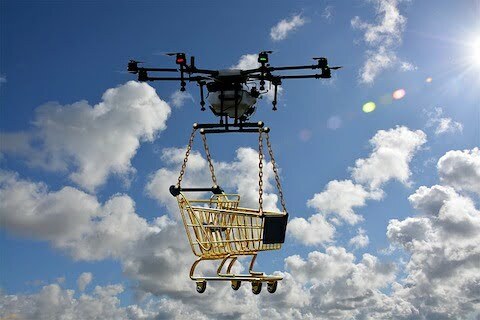



Computers that can think and learn are going to change how people who work with numbers do their jobs. These smart computers can do boring tasks like reading documents and finding information, which lets the number people focus on more interesting work. But, some people are worried because if computers do a lot of the work, there might not be as many jobs for people. Already, some of the simple checking work has been given to people in other countries, and the younger workers need to learn how to talk and work better with clients.
Because of these smart computers, the way people learn to work with numbers is changing. They need to know how to use these computers and how to talk to clients. Some companies are teaching their workers how to mix number work with computer science to do their jobs better. These smart computers can help find mistakes or unusual things in a lot of data, which makes checking work better. Even though there have been some big mistakes in checking work, using smart computers can help make things better by letting people focus on the most important parts of their work.
Original news source: Could AI take the grind out of accountancy? (BBC)
🎧 Listen:
📖 Vocabulary:
Group or Classroom Activities
Warm-up Activities:
– Charades
Instructions: Divide the class into two teams. Give each team a set of vocabulary words related to the article. One player from each team will come to the front of the class and act out the word without speaking. The team members will try to guess the word. The team with the most correct guesses wins.
– Word Association
Instructions: Write some key words from the article on the board. Ask the students to come up with as many words as they can that are related to each key word. For example, if one of the key words is "computers," the students could say "technology," "internet," "software," etc.
– Vocabulary Pictionary
Instructions: Divide the class into pairs. Give each pair a set of vocabulary words from the article. One student will have to draw a picture of the word without speaking, while the other student tries to guess the word. Each pair will have a limited amount of time to guess as many words as possible.
– Speed Summarizing
Instructions: Divide the class into small groups. Give each group a summary sentence from the article. The students will have a limited amount of time to discuss and come up with a longer summary of the article using their own words. Each group will then share their summary with the class.
– Think-Pair-Share
Instructions: Give each student a short discussion question related to the article. The students should take a few minutes to think about their answer, then pair up with a partner to discuss their thoughts. After the discussion, each pair can share their answers with the class.
🤔 Comprehension Questions:
Smart computers can do boring tasks like reading documents and finding information, which helps people who work with numbers focus on more interesting work.
Some people are worried because if computers do a lot of the work, there might not be as many jobs for people.
Some of the simple checking work has been given to people in other countries.
Younger workers need to learn how to talk and work better with clients.
People now need to learn how to use these computers and how to mix number work with computer science to do their jobs better.
Smart computers can help find mistakes or unusual things in a lot of data by analyzing the information quickly and accurately.
Using smart computers can make checking work better by letting people focus on the most important parts of their work, while the computers handle the more repetitive and time-consuming tasks.
🎧✍️ Listen and Fill in the Gaps:
Computers that can think and learn are going to change how people who work with numbers do their jobs. These smart computers can do boring tasks like reading and finding information, which lets the number people on more interesting work. But, some people are worried because if computers do a lot of the , there might not be as many jobs for . Already, some of the simple checking work has been given to people in other countries, and the younger workers need to learn how to talk and work better with clients. Because of these smart computers, the way people learn to work with numbers is changing. They need to how to use these computers and how to talk to clients. Some are teaching their workers how to mix number work with computer science to do their jobs better. These smart computers can find mistakes or unusual things in a lot of data, which makes work better. Even though there have been some big mistakes in checking work, using smart computers can help make things better by letting people focus on the most important parts of their work.
💬 Discussion Questions:
1. What is a smart computer?
2. How would you feel if a computer did your job for you?
3. Do you like working with computers? Why or why not?
4. What do you think about computers helping people find mistakes?
5. How do you think computers can make checking work better?
6. What is the most important part of your job?
7. Do you think computers will take away people's jobs? Why or why not?
8. How do you feel about learning how to use computers at work?
9. What do you think about companies teaching workers to mix number work with computer science?
10. Have you ever made a mistake at work? How did it make you feel?
11. Do you think computers can do boring tasks better than people? Why or why not?
12. How do you think computers can help people talk and work better with clients?
Individual Activities
📖💭 Vocabulary Meanings:
Click a dot next to a word, then click the dot next to its meaning to draw a line connecting them.
Words
Meanings
🔡 Multiple Choice Questions:
🕵️ True or False Questions:
📝 Write a Summary:
Write a summary of this news article in two sentences.
Check your writing now with the best free AI for English writing!