

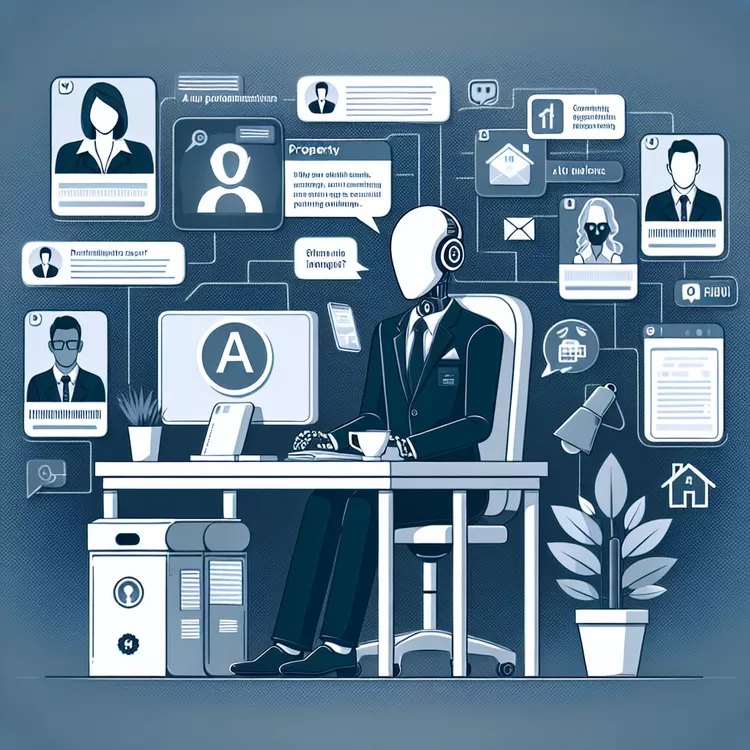
A man named Rob Dix made a computer version of himself that can talk to people on his website. This computer helper can answer questions just like Rob would. Rob taught it to sound like him by using his books and other things he has written or said. A company in the UK helped him and about 150 other people make these computer helpers.
These computer versions are made to help people have more free time. They can answer questions and give advice, and they can even talk to customers or workers. People teach the computer by giving it things they have written or said before. But, it's important to make sure the computer says the right things because it can't understand everything like a human can.
Making these computer helpers is becoming more popular. They help people answer questions quickly and be in more than one place at a time. But, some people worry that computers can't handle really hard business problems. It's also important for people to remember they are talking to a computer, not a real person.
Original news source: The people creating digital clones of themselves (BBC)
🎧 Listen:
📖 Vocabulary:
Group or Classroom Activities
Warm-up Activities:
– Charades
Instructions: Divide the students into teams. Give each team a set of vocabulary words related to computers and technology. One student from each team will act out a word without speaking, and the rest of the team must guess the word. The team with the most correct guesses wins.
– News Summary
Instructions: Have the students read the article individually. Then, in pairs or small groups, have them summarize the main points of the article in their own words. Each group will then present their summary to the class.
– Vocabulary Pictionary
Instructions: Divide the students into pairs. Give each pair a set of vocabulary words from the article. One student from each pair will draw a picture to represent a word, while the other student tries to guess the word. The pair with the most correct guesses wins.
– Speed Summarizing
Instructions: Divide the students into pairs. Give each pair a timer. One student will have 1 minute to summarize the article to their partner, using their own words. After 1 minute, they switch roles. The pair with the most accurate and detailed summary wins.
– Think-Pair-Share
Instructions: Have the students think about and write down their opinions on the statement: "Do you think computer helpers are a good idea?" Then, pair the students up and have them share their opinions with each other. Finally, open up a class discussion and have some students share their opinions with the whole class.
🤔 Comprehension Questions:
Rob Dix made a computer version of himself.
Rob taught the computer helper to sound like him by using his books and other things he has written or said.
The computer helper can answer questions, give advice, and even talk to customers or workers.
People teach the computer helper by giving it things they have written or said before.
It is important to make sure the computer says the right things because it can't understand everything like a human can.
These computer helpers are becoming more popular because they help people answer questions quickly and be in more than one place at a time.
It is important for people to remember that they are talking to a computer, not a real person.
🎧✍️ Listen and Fill in the Gaps:
A man Rob Dix made a computer version of himself that can talk to people on his website. This computer helper can questions just like Rob would. Rob it to sound like him by using his books and other things he has written or said. A company in the UK him and about 150 other people make these helpers. These computer versions are made to help people have more free time. They can answer questions and give advice, and they can even talk to customers or workers. teach the computer by it things they have written or said before. But, it's important to sure the computer says the things because it can't understand everything like a human can. Making these computer helpers is becoming more popular. They help answer questions quickly and be in more than one place at a time. But, some people worry that computers can't handle really business problems. It's also important for people to remember they are to a computer, not a real person.
💬 Discussion Questions:
1. What is a computer helper?
2. How do people teach the computer helper to sound like them?
3. Do you think it's a good idea to have a computer helper? Why or why not?
4. How would you feel if you could have a computer helper to answer your questions?
5. Do you think computers can handle really hard business problems? Why or why not?
6. What are some ways that computer helpers can help people have more free time?
7. How do you think computer helpers can talk to customers or workers?
8. Do you like the idea of talking to a computer? Why or why not?
9. How do you think computer helpers can be useful in our daily lives?
10. What are some things that computers can't understand like humans can?
11. How do you think computer helpers can be improved in the future?
12. Would you like to have a computer helper? Why or why not?
Individual Activities
📖💭 Vocabulary Meanings:
Click a dot next to a word, then click the dot next to its meaning to draw a line connecting them.
Words
Meanings
🔡 Multiple Choice Questions:
🕵️ True or False Questions:
📝 Write a Summary:
Write a summary of this news article in two sentences.
Check your writing now with the best free AI for English writing!